Video production is experiencing a shift with the introduction of an open-source skill called cinecode, released in early November 2026 by Turkish developer Sarp Yildiz. Rather than relying on traditional generative video tools that draw images directly from text instructions, this system approaches video creation through programming. According to the note publication covering the release, everything from the script and scenes to the sound and editing is written as code, eventually rendering a finished MP4 file.
For creators looking to understand what this means in practice, this guide breaks down how the tool works, the practical implications of its underlying architecture, and the step-by-step process you can follow to build your own projects.
Understanding the cinecode video production workflow
To use cinecode effectively, it helps to understand its underlying mechanics. A 'skill' acts as a set of instructions and specialized tools that teach an AI how to perform specific tasks according to professional practices. cinecode runs inside 'Claude Code'—a tool allowing Anthropic's Claude AI to execute programs and create files on your computer—or within the AI code editor 'Cursor'.
The technical pipeline operates through a precise sequence:
- The AI writes a program that draws the video frame by frame.
- The program runs in a headless Google Chrome browser and gets recorded frame by frame.
- Sound, also created by the program, and recorded images are stitched together into an MP4 file using ffmpeg.
- Three-dimensional visuals rely on three.js, a standard web framework for 3D expressions.
Because the source code is distributed under the MIT License, it is entirely free and open-source, allowing anyone to freely use, modify, and commercially exploit it. A Japanese version of the official manual is also available on GitHub alongside the primary documentation.
How it differs from traditional generative video AI
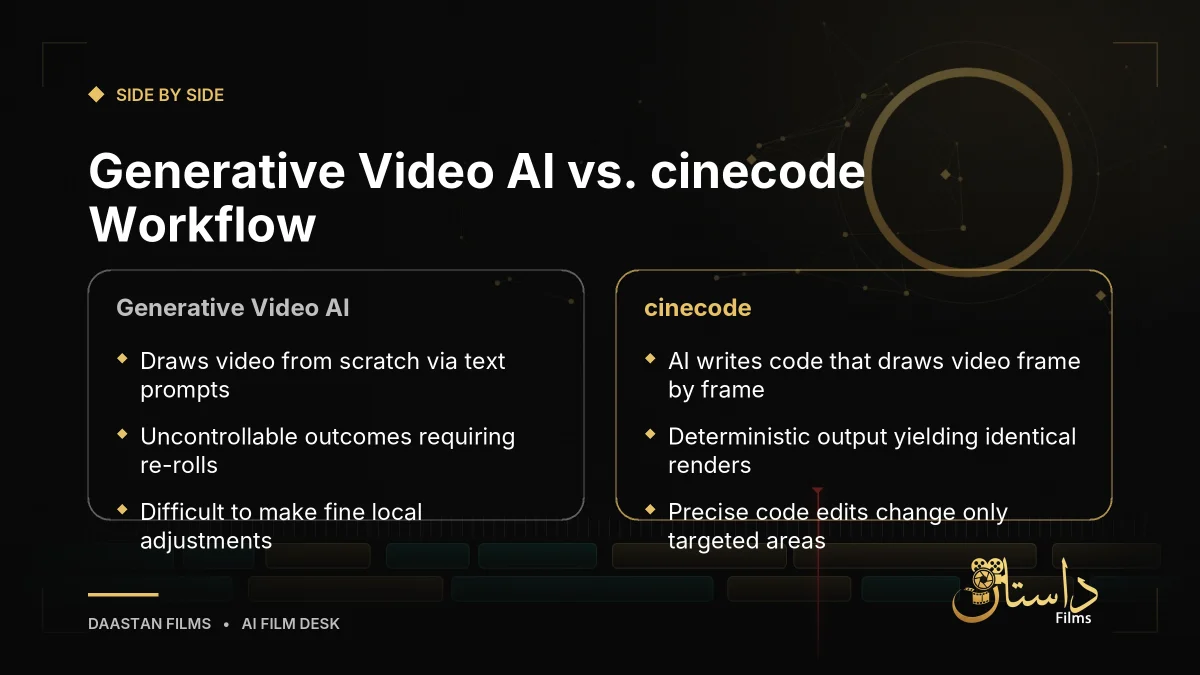
Many creators have grown accustomed to generative video AI, where entering a prompt forces the system to draw a video from scratch. While convenient, that approach often behaves like a gacha game—re-rolling prompts until you achieve a satisfactory result, making fine adjustments difficult. As noted in community discussions highlighted by the source, generative video AI is akin to a portrait drawn instantly on the spot.
In contrast, the cinecode video production workflow acts like a model assembled from blueprints. The video functions as a mathematical formula where inputting a specific timestamp determines the exact image at that moment. This property is technically known as being deterministic. No matter how many times you render the code, you will always get the exact same video file.
For filmmakers and editors, this yields substantial practical advantages:
- Precision edits: Adjusting a specific element—such as enlarging text at the 3-second mark—requires modifying only that segment of code.
- Stability: Unedited sections remain untouched, preventing unintended errors where fixing one element breaks another.
- Version control: Preserving prior code versions allows you to revert to earlier iterations at any moment.
Step-by-step approach to building with cinecode
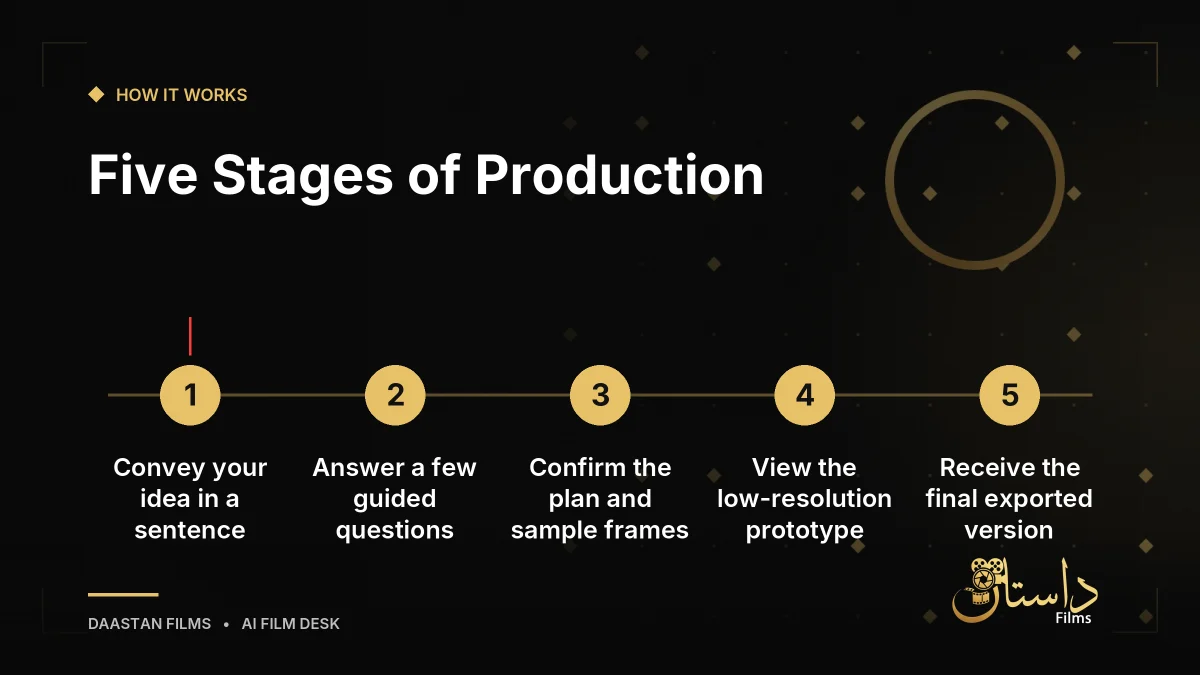
According to the official manual, interacting with the system feels like answering engaging multiple-choice questions. The production process spans five main stages:
- Convey your idea: Input a single sentence or provide a detailed instruction sheet to jump straight into production.
- Answer questions: Address the work's interpretation, visual texture (such as 3D, hand-drawn, or paper craft styles), length, aspect ratio, atmosphere, and audio. The AI indicates recommended choices with a star symbol (★).
- Confirm the plan: Review a progress chart showing event timing, along with director's notes summarizing camera work and color tones. You can adjust these line by line and view still images of two scenes before full creation.
- View the prototype: A low-resolution prototype is generated and automatically checked for quality, while a separate independent AI evaluates the work as a first-time viewer.
- Receive the final version: The system exports the project at ultimate image quality with adjusted sound volume.
Choosing between Quick Mode and Film Mode
Creators can choose between two operational modes depending on project scale. Quick Mode combines assets into a single file and targets works under approximately three minutes, making it ideal for social media short videos or advertisements with roughly three confirmation steps. Film Mode suits documentaries requiring research or feature-length projects exceeding ten minutes, allowing you to approve each stage including composition plans, scripts, sample frames, rough draft videos, and final production. Creators can initiate a project in Quick Mode and later transition to Film Mode for deep refinement.
The official documentation notes that this setup accommodates diverse project types:
-
Short films: Combines random ideas with real-world elements like museum exhibits, animals, or space photography while cross-referencing past creations to prevent duplication.
YouTube videos: Structures documentaries and explanatory videos into acts or chapters, incorporating citations, archival photos, maps, and public records.
Advertising: Reflects specific product colors, fonts, logos, and branding elements accurately.
Limitations, cautions, and industry questions
While open-source code-based rendering offers unprecedented control, creators should weigh operational limits. Because every frame depends on code execution and browser recording, complex animations require precise programmatic definitions. Ensuring visual fidelity relies heavily on how well the underlying scripts execute through three.js and ffmpeg.
Furthermore, this movement raises profound questions for the division of labor within the video industry. By shifting responsibilities away from prompt engineering and stochastic video generators toward code-based structuring and script logic, the workflow resembles software engineering as much as traditional filmmaking. Creators should consult the official GitHub documentation and repositories for exact installation menus and system configurations before diving in.
Ultimately, approaching video production through code opens an alternative pathway for creators seeking determinism, version safety, and exact editorial control over their short films, advertisements, and digital content.
Frequently asked questions
cinecode is an open-source skill released by developer Sarp Yildiz that allows users to create short films, YouTube videos, and Instagram Reels by having AI write the code that draws the video rather than using generative video AI.
The AI writes a program that draws the video frame by frame using three.js for 3D expressions. This program runs in a headless Google Chrome browser, gets recorded as images, and is stitched together with sound using ffmpeg into an MP4 file.
Quick Mode combines assets into a single file for social media videos or ads under three minutes. Film Mode allows you to approve each production stage individually, making it suited for research-heavy documentaries and feature-length works over ten minutes.
Have a film, DVC or AI project in mind?
Daastan Films blends production, post-production and AI. Let’s talk about yours.