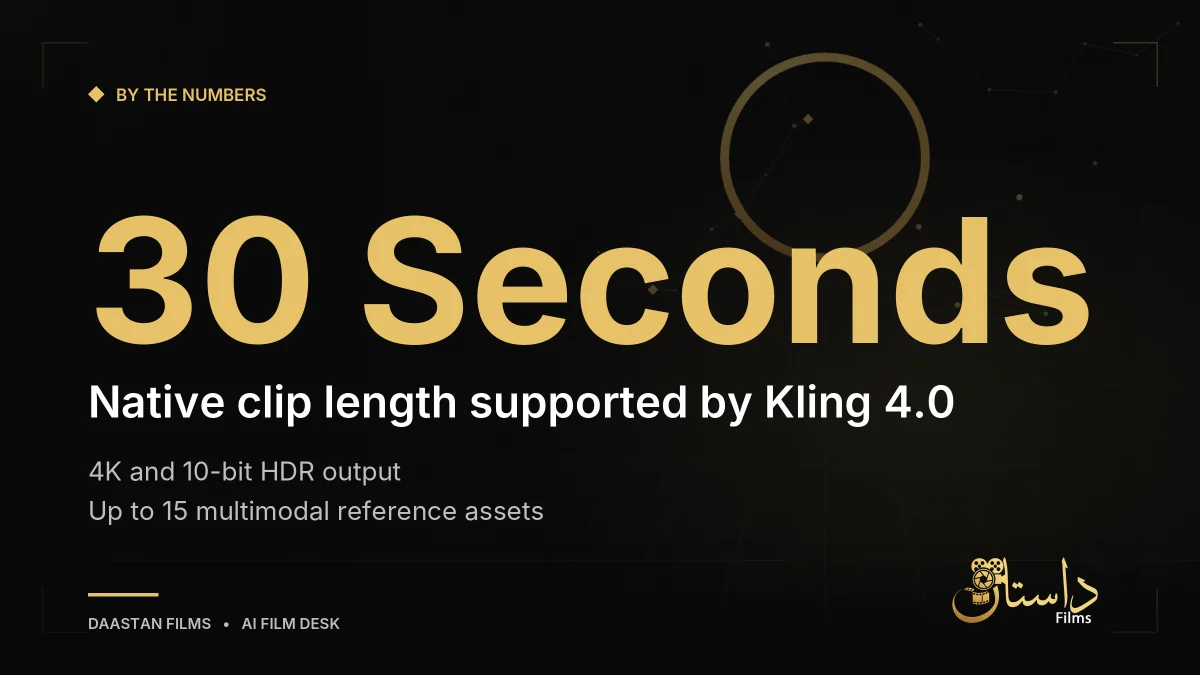
Automating video generation workflows has entered a new phase with the worldwide release of Kling 4.0, as reported by Tech Insider. The updated model pushes native clip lengths to 30 seconds, introduces 4K and 10-bit HDR output, and accepts up to 15 multimodal reference assets in a single request. For creators and developers who previously spent time stitching together shorter clips from older video models, this release represents a significant shift in what a single API call can produce.
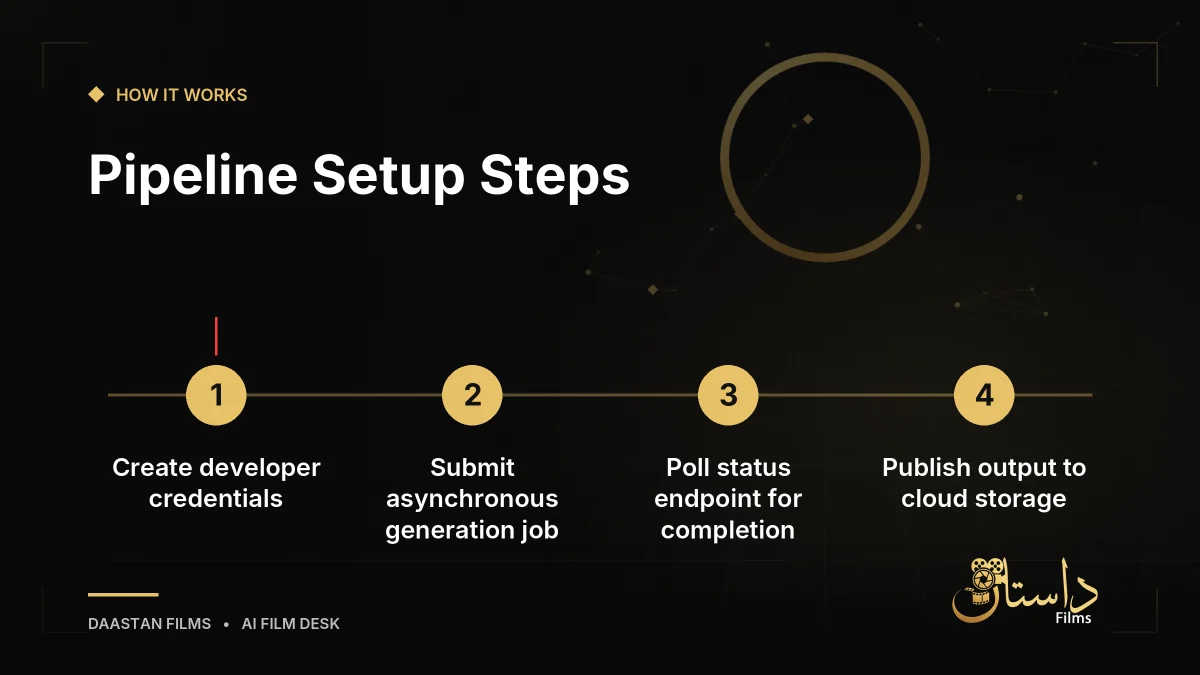
This tutorial walks through building a working, automated AI video pipeline around the Kling API, from establishing credentials to publishing finished clips to cloud storage. You will also wire in fallback routes to Google’s Veo 3.1 family and Luma’s Ray3.2 so that a single vendor outage does not disrupt your entire content schedule. Rather than relying on ranked lists or theoretical concepts, this guide focuses on a hands-on build: submitting generation jobs, polling them to completion, post-processing output, and automating execution without babysitting a terminal window.
Understanding the Asynchronous Generation Pattern
Before writing any code, it is critical to understand how modern video generation services operate. The Kling API uses an asynchronous architecture by design. When your code makes a synchronous HTTP call to submit a job, it does not immediately return a finished video file. Instead, the server returns a job ID and an initial status such as “queued” or “processing.” Understanding this pattern up front saves you from writing code that assumes a synchronous response and breaks the first time a render takes several minutes instead of a few seconds.
Your application is then responsible for checking back in. You can build a polling loop that queries the job status endpoint at regular intervals, or you can register a webhook URL that Kling will call when rendering finishes. Polling is generally simpler to build and debug when first testing your script, whereas webhooks offer greater efficiency at scale by eliminating unnecessary request traffic where your script asks if the job is done repeatedly. Freshly released models tend to see heavier-than-normal demand in their first weeks, so factoring in robust polling intervals and time-out handling is essential for a stable automation script.
What’s New in Kling 4.0 and Model Capabilities
Kuaishou’s Kling line has evolved rapidly, and Kling 4.0 represents a major upgrade over Kling 3.0, which topped out at approximately 15 seconds per native clip. The current version doubles that duration while supporting up to 10 keyframe inputs. This gives creators frame-level control over how a sequence starts, develops, and ends, moving far beyond simple text-to-video prompts. Fewer stitched segments mean fewer visible seams and fewer API calls per finished asset when building ad creative, product explainers, or short-form social content programmatically.
The multimodal reference system allows you to mix product photos, short video clips showing camera movement, and ambient audio tracks into a single request. By combining up to 15 multimodal assets and 10 keyframes, developers can specify precise composition and pacing across a 30-second timeline. However, developers should note that a lighter variant called Kling 4.0 Flash entered early access on September 28, 2026. If your developer account is restricted to the Flash tier, features like full 4K output and the 30-second duration ceiling may not be immediately available. Always check your developer dashboard tier before budgeting for heavy production runs.
According to a release tracker maintained by Versely, which logs new AI video model releases by month, 2026 has seen a steady cadence of major updates across Kling, Veo, and Luma roughly every six to eight weeks, and Kling 4.0 fits that pattern as the October entry. Staying aware of these release cycles helps technical directors anticipate when platform capabilities or parameter structures might shift.
Building Resilience with Fallback Providers
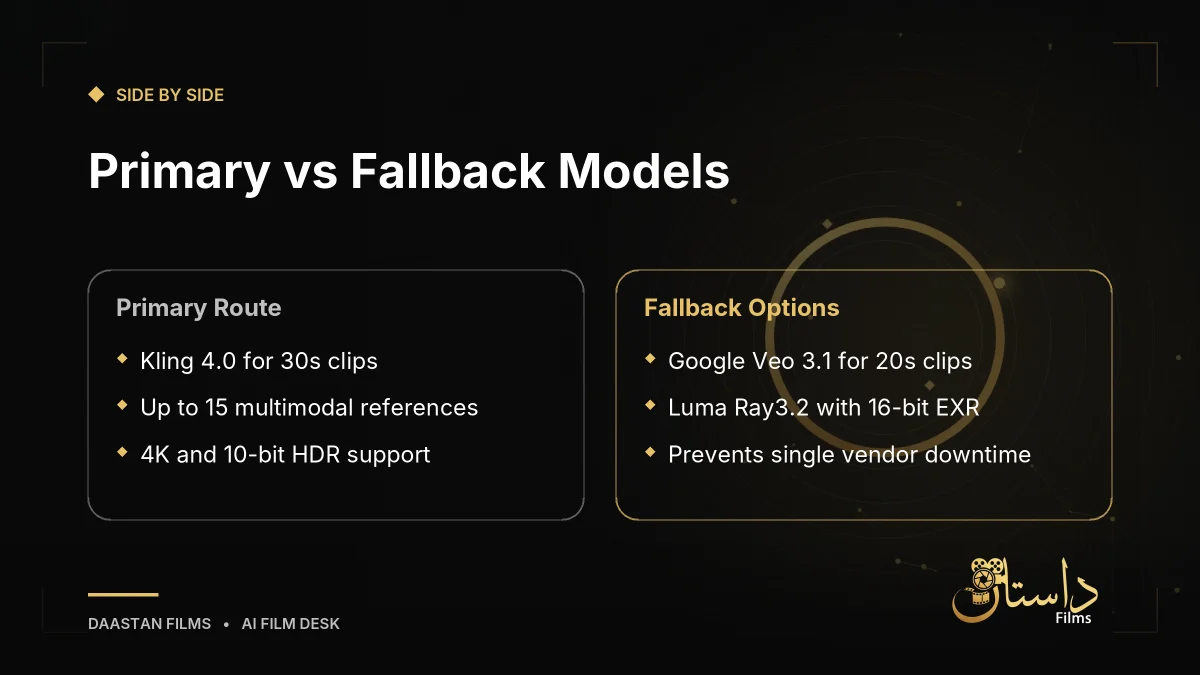
Relying on a single AI video vendor introduces operational risks. A robust production pipeline should incorporate fallback routes to ensure a single vendor outage does not take down your whole content pipeline. According to release tracking data from October 2026, Google’s Veo 3.1 family supports clips up to 20 seconds with straightforward per-second pricing that makes cost modeling practical. Meanwhile, Luma’s Ray3.2 adds native HDR and 16-bit EXR output with up to 16 keyframes, making it popular for color-critical post-production workflows.
A tracker from Magic Hour that lists 2026 AI video model release dates and access tiers shows all three providers actively shipping updates through the fall. Wiring Google's Veo and Luma's Ray into your automation script as fallback targets ensures that if Kling experiences a queue bottleneck or service interruption, your pipeline can automatically route generation requests to an alternative model.
Getting Started, Environment Setup, and Best Practices
You do not need a local GPU cluster or local machine learning stack to build this pipeline, as every render occurs on cloud servers. What you do need is a working Python environment, a designated cloud storage bucket to publish your finished clips to, and developer accounts with at least one fallback video API. Budget roughly 90 minutes for the full build if you are following along step by step, including time for your first Kling job to render.
When designing your scripts, always handle rate limits gracefully, log your job IDs, and verify your account tiers to match the expected model specifications. Because a 30-second 4K clip is not instant, expect render times in the range of several minutes depending on queue depth at launch. Check the official developer documentation for exact endpoint URLs, authentication headers, and payload structures as you piece your automation script together.
Practically speaking, automating these workflows helps solo developers and small teams produce content programmatically. Always weigh factors like rendering costs, queue wait times, and tier permissions before scaling your automated scripts to full production workloads.
Frequently asked questions
Kling 4.0 supports native clip lengths of up to 30 seconds without requiring multiple stitched generations.
No, the API uses an asynchronous job pattern. You submit a request to receive a job ID and must poll a status endpoint or use a webhook to retrieve the finished video.
Developers can wire in Google's Veo 3.1 family and Luma's Ray3.2 to ensure the content pipeline stays active during provider outages.
Have a film, DVC or AI project in mind?
Daastan Films blends production, post-production and AI. Let’s talk about yours.